Re-opening verification
    • Re-opening verification

    access-reserved-lasertag

    Re-opening verification

    Welcome to your dedicated space, reserved exclusively for our customers Lasertag !

    You will find all the technical information and assistance necessary to operate your equipment.

    - From installation guides to maintenance tips, everything is gathered to facilitate your daily life.

    - From software updates to FAQs, we cover every aspect of using your hardware.

    - Detailed video tutorials are also at your disposal for a better grip.

    In order to share the latest information on LASERTAG, we have just created this DIFFUSION channel. Be careful, you cannot answer on this channel. It is dedicated to disseminating information only. If you want to add people to this channel, just share the following link:

    https://chat.whatsapp.com/GN6qGuFA3em2xZLYiRFjxr
    Quantity

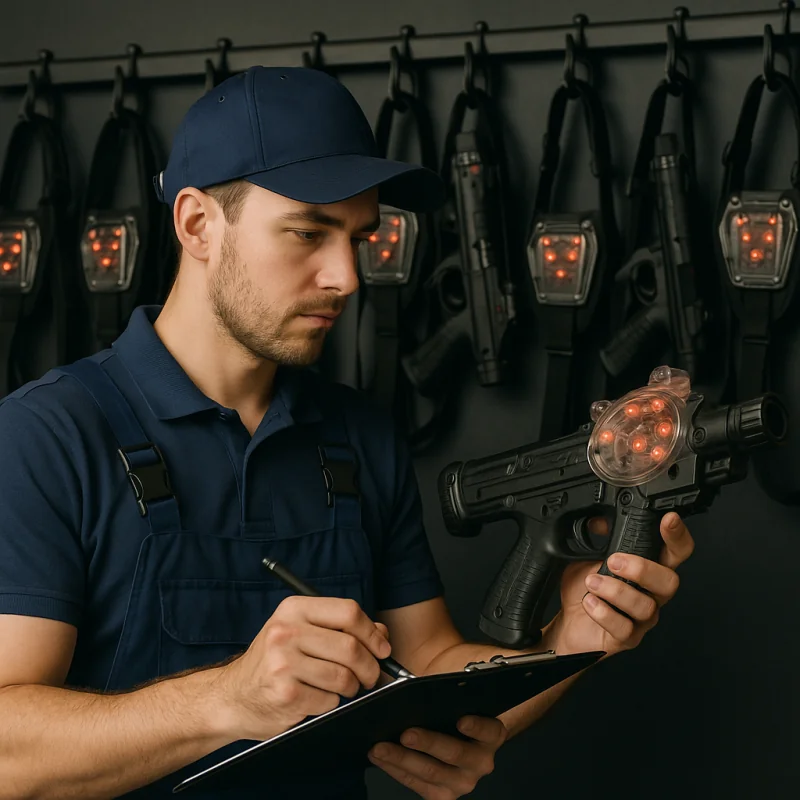
    Falcon F1 / F2:

    • Load all 100% equipment at the beginning of the day and leave them on the whole day.
    • Please check the battery percent on the tablet. If you notice abnormal declines, please inform us so that we can take preventive action such as replacing the battery.
    • Load all 100% equipment at the beginning of the day and leave them on the whole day.
    • Or, if the hinder does not work even after a full load, this could indicate a faulty battery to replace.
    • Check each trigger individually. If they are hard or do not react properly, they might require repair.
    • Make sure the screen is working properly and there is no visible damage.
    • If the screen does not display but you see a backlight, you may have repaired yourself easily. You have to open the gun and just disconnected and then reconnected the LCD display that could have taken from the game during the past season.
    • If you notice a lot of dust, you can open it and blow it off but we recommend sending us the guns for proper cleaning.
    • Set the sound to an identical level from the tablet and verify that all speakers work properly by launching a game.
    • Start all the guns and pull individually on the 3 sensors of another weapon (1 sensor on the left, 1 sensor right and 1 sensor in the barrel).

    Headband and Scorpion:

    • Load all 100% scorpion headbands and monitor after several hours if they do not die
    • Check the charge level on the tablet. Any abnormal drop may indicate a need to replace the battery.
    • Perform visual checks to make sure that the 3 small LED sensors light up properly.
    • Use a weapon to pull on each sensor (main and 3 sensors) to check the signal reception.

    Vortex charger:

    • If nothing lights up, check the fuse status on the back of the vortex near the power plug.
    • Check that each LED lights up, if the LEDs, are neither red nor green with or without connected equipment it will be necessary to send us the vortex to replace defective cards.
    • Control Connector Cache By connecting equipment on each cable, do not hesitate to "tickle the cable" to control that the cable is not damaged.
    • Perform visual checks to make sure that the 3 small LED sensors light up properly.
    • Use a weapon to pull on each sensor (main and 3 sensors) to check the signal reception.
    • Check each connector by connecting equipment on each cable, do not hesitate to "tickle the cable" to control that the cable is not damaged.

    Sirius and Domination Box:

    • Load 100% and monitor after several hours if they do not go out.
    • If despite the load, it does not turn on, it can not be the battery or something else, we must return the equipment in a workshop for investigation.
    • Start a scenario related to the use of SIRIUS or Domination Box and control the reaction of the sensors.
    • Checked that players are resurrected when the SIRUS configured in resuscitation or pull on a flag capture scenario.
    • Visually check the lighting LEDs.

    After performing these tests, if you notice that some equipment is a problem, you can fill out the SAV form on our website ( https://volt-events.fr/fr/assistance/2-sav and return to us these equipment so that we can conduct a quote for the necessary repairs.

    We remain at your disposal for any additional questions or to organize the return of equipment requiring a repair. Thank you for your attention and see you soon for a thrilling season of Laser Game!

    reouverture